> ## Documentation Index
> Fetch the complete documentation index at: https://developer.amplify.xyz/llms.txt
> Use this file to discover all available pages before exploring further.
# Create a webhook
> Configure and test a webhook from the Amplify dashboard.
Create webhooks from the Amplify dashboard to receive fax, document, or contact events at your application’s URL.
## Before you begin
Prepare a publicly reachable endpoint that:
* Accepts `POST` requests
* Returns a successful `2xx` response
* Can safely process duplicate deliveries
* Does not perform long-running work before responding
Amplify v1 does not currently sign webhook requests. Use a private HTTPS URL and enable URL authentication when your receiving endpoint supports it.
## Create the webhook
In the Amplify dashboard, open **Settings**, select **Developer Tools**, and choose the **Webhooks** tab.
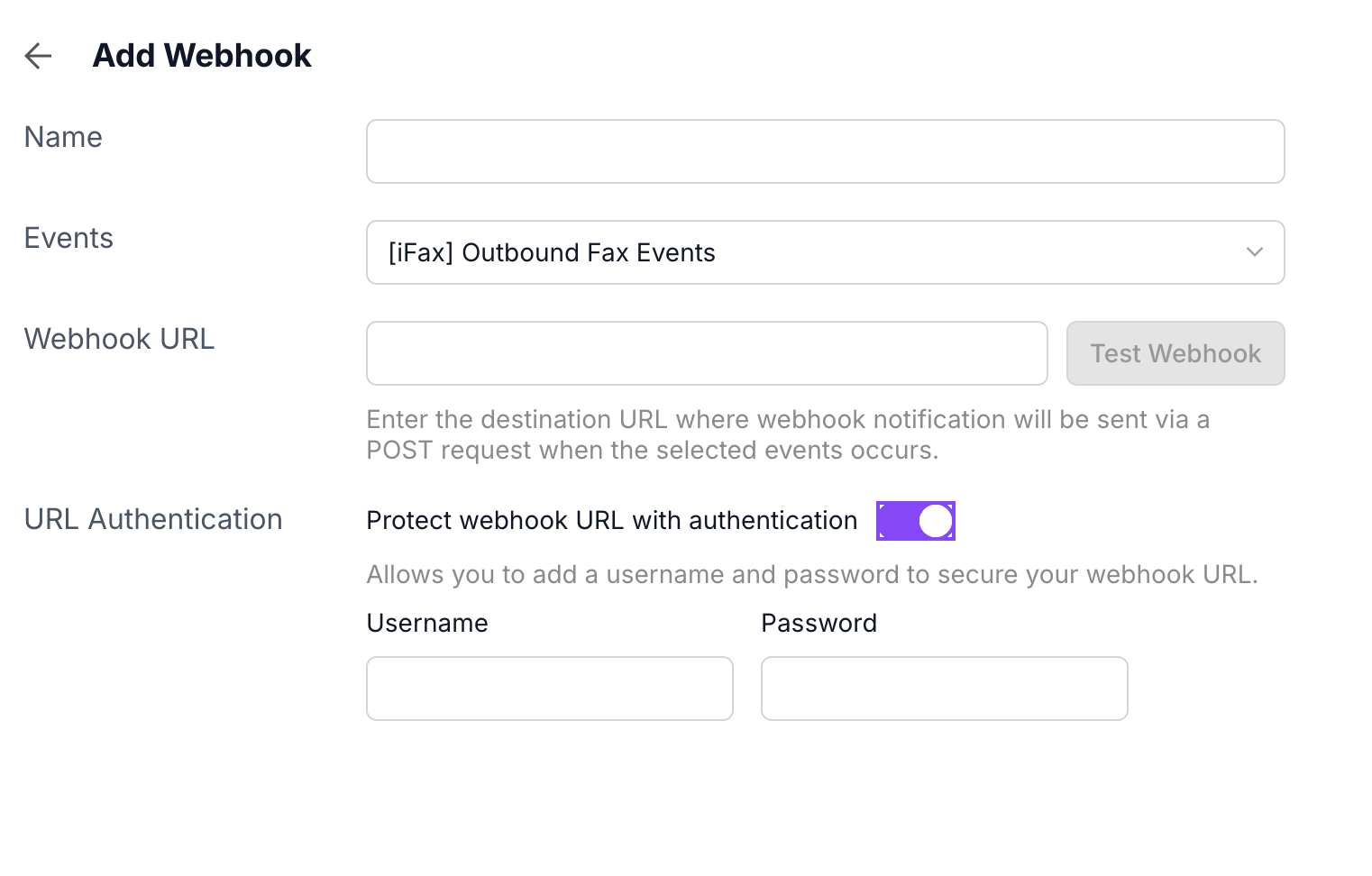
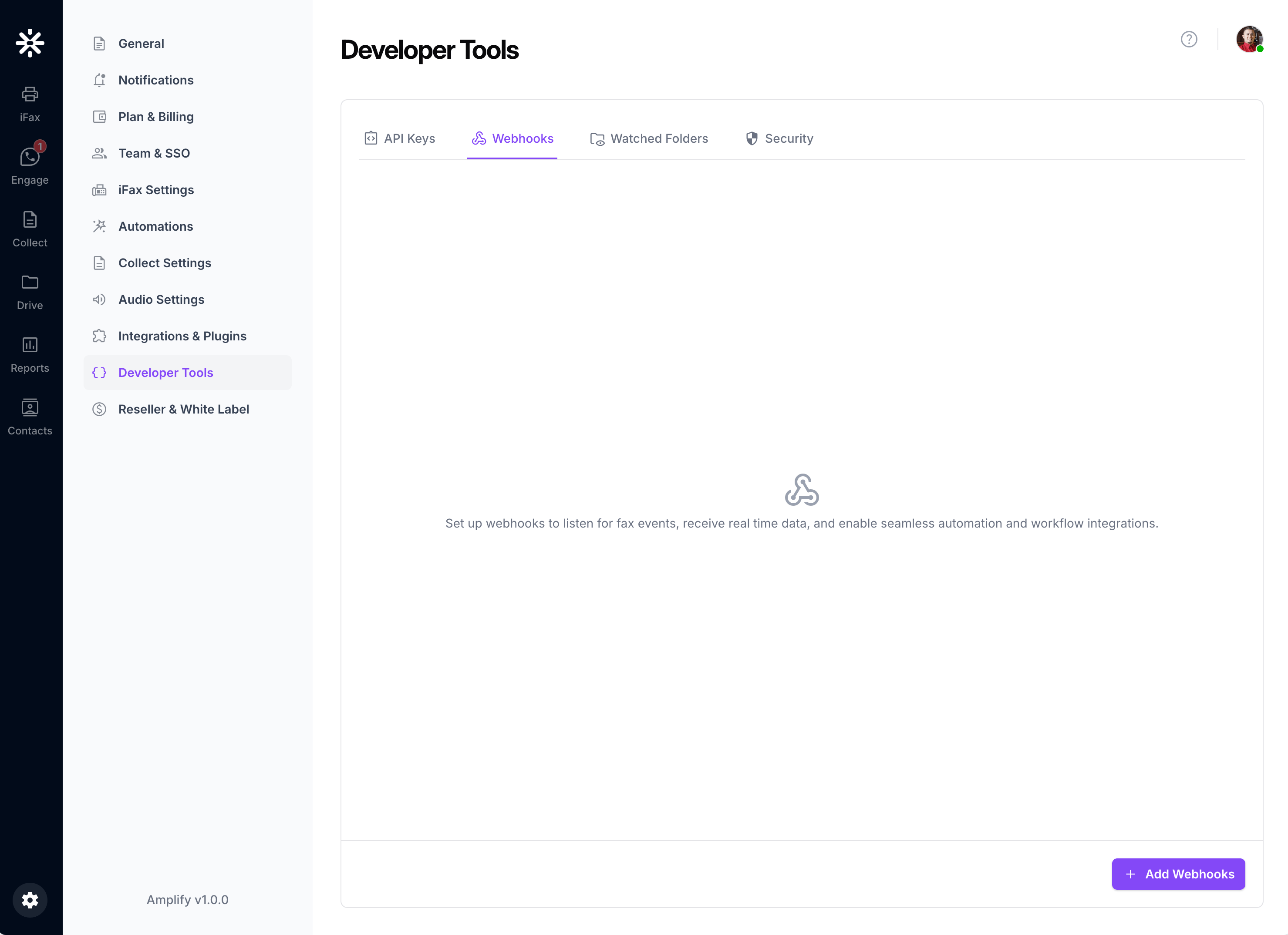 Click **Add Webhooks**. The **Add Webhook** form opens.
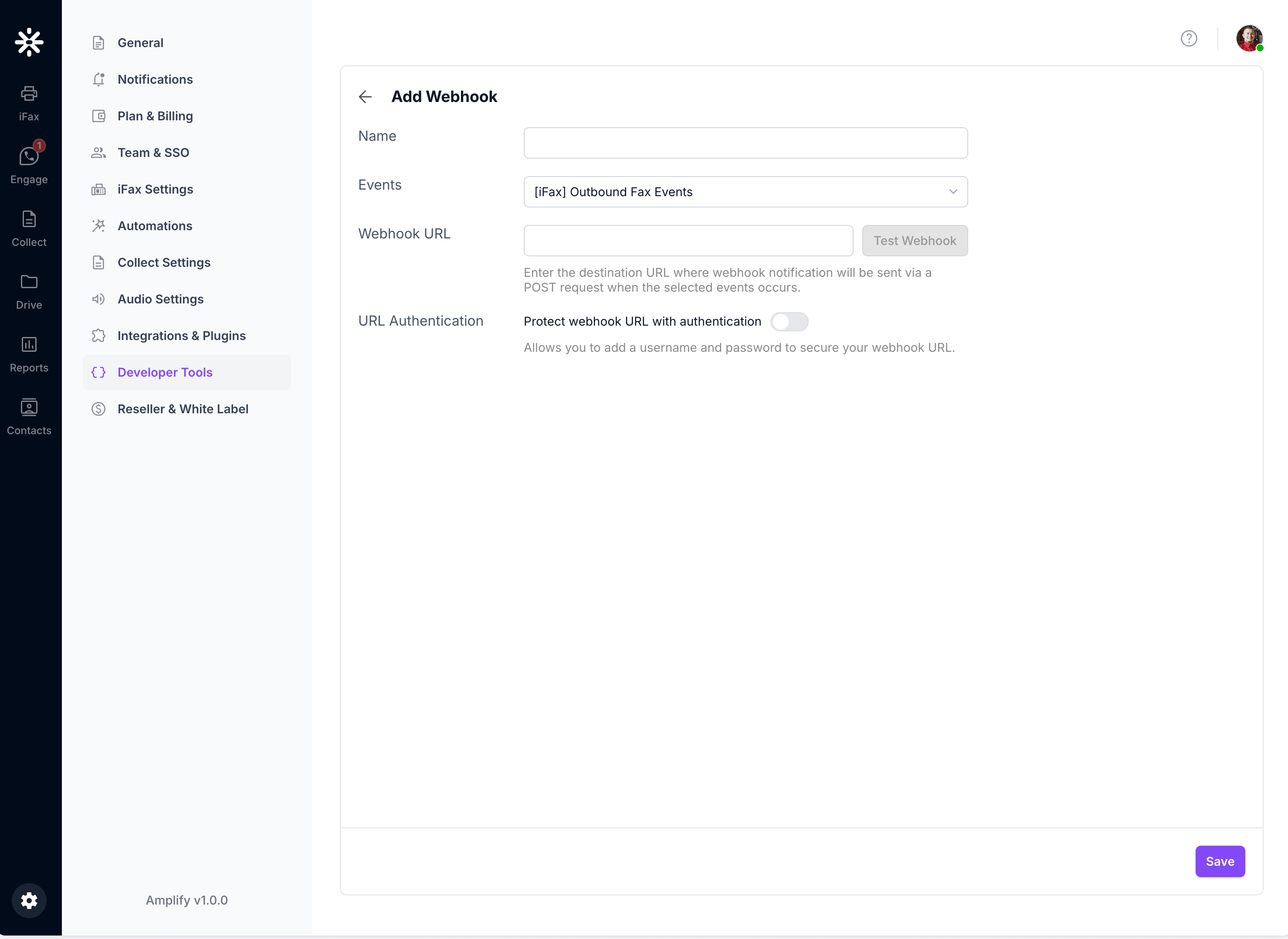 Enter a recognizable name that describes the destination or workflow, such as `Outbound Fax`.
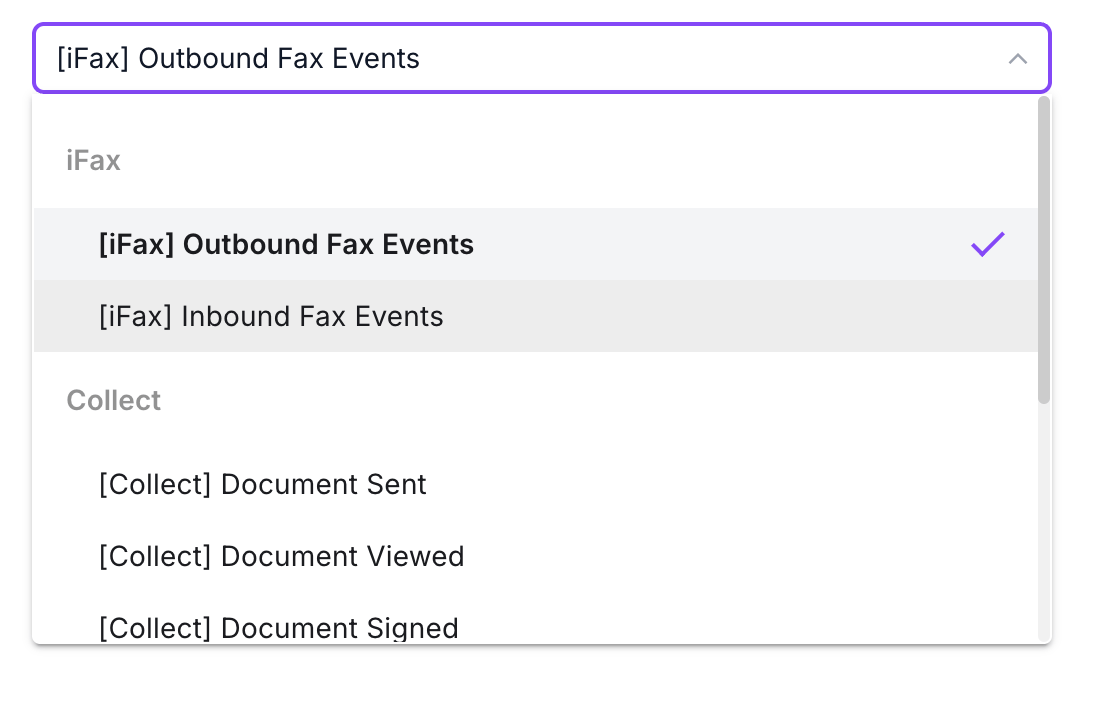
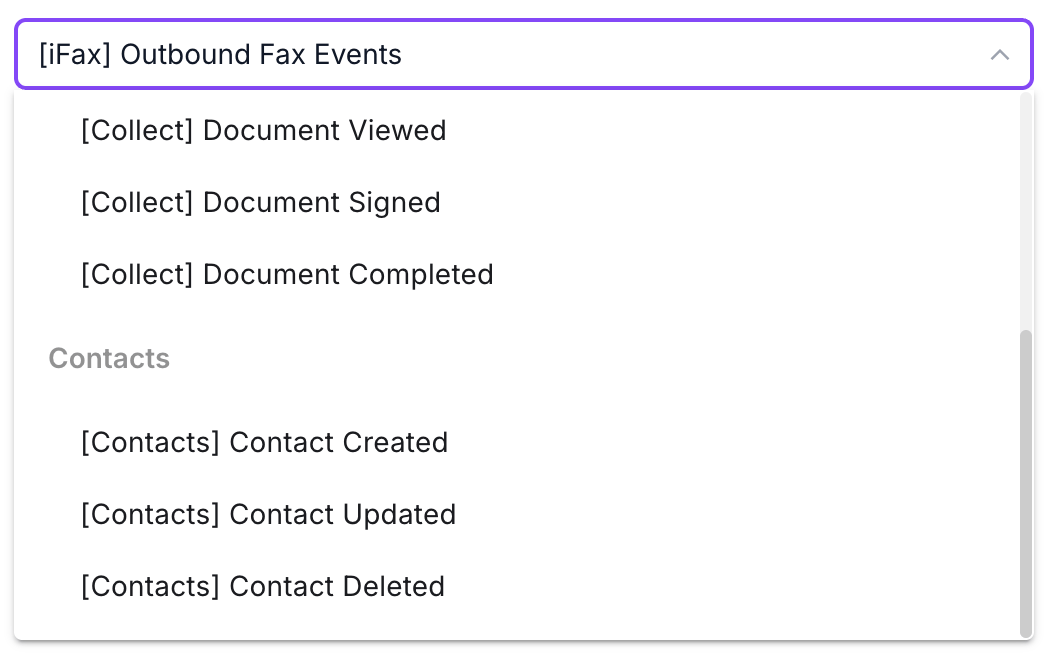
Open **Events** and select the event category that Amplify should send to this webhook.
| Product | Event option |
| -------- | ------------------------------ |
| iFax | `[iFax] Outbound Fax Events` |
| iFax | `[iFax] Inbound Fax Events` |
| Collect | `[Collect] Document Sent` |
| Collect | `[Collect] Document Viewed` |
| Collect | `[Collect] Document Signed` |
| Collect | `[Collect] Document Completed` |
| Contacts | `[Contacts] Contact Created` |
| Contacts | `[Contacts] Contact Updated` |
| Contacts | `[Contacts] Contact Deleted` |
Enter a recognizable name that describes the destination or workflow, such as `Outbound Fax`.
Open **Events** and select the event category that Amplify should send to this webhook.
| Product | Event option |
| -------- | ------------------------------ |
| iFax | `[iFax] Outbound Fax Events` |
| iFax | `[iFax] Inbound Fax Events` |
| Collect | `[Collect] Document Sent` |
| Collect | `[Collect] Document Viewed` |
| Collect | `[Collect] Document Signed` |
| Collect | `[Collect] Document Completed` |
| Contacts | `[Contacts] Contact Created` |
| Contacts | `[Contacts] Contact Updated` |
| Contacts | `[Contacts] Contact Deleted` |
 Enter the destination in **Webhook URL**. Amplify sends an HTTP `POST` request to this URL when the selected event occurs.
This step is optional. Turn on **Protect webhook URL with authentication** and enter the **Username** and **Password** expected by your endpoint.
Enter the destination in **Webhook URL**. Amplify sends an HTTP `POST` request to this URL when the selected event occurs.
This step is optional. Turn on **Protect webhook URL with authentication** and enter the **Username** and **Password** expected by your endpoint.
 Store the receiving endpoint’s credentials securely. Do not reuse your Amplify password or API access token.
Click **Test Webhook** before saving. Amplify sends a sample event payload to the destination URL.
```json theme={null}
{
"event_id": "evt_XXXXXXXXXXXXXXXXXXXXXXXXXX",
"event_type": "outbound_fax",
"occurred_at": "2026-08-22T08:23:28Z",
"data": {
"fax": {
"direction": "outbound",
"fax_uuid": "XXXXXXXXXXXXXXXX",
"transmission_duration": 59,
"transmission_start": "2023-11-10T00:00:34Z",
"transmission_end": "2023-11-10T00:01:33Z",
"pages": 1,
"fax_status": "Delivered",
"from_number": "19073331000",
"to_number": "19073331000",
"transferred_pages": 1,
"retry_attempt": 0
}
}
}
```
The test payload uses placeholder identifiers and phone numbers. `occurred_at`, `transmission_start`, and `transmission_end` use ISO 8601 UTC strings.
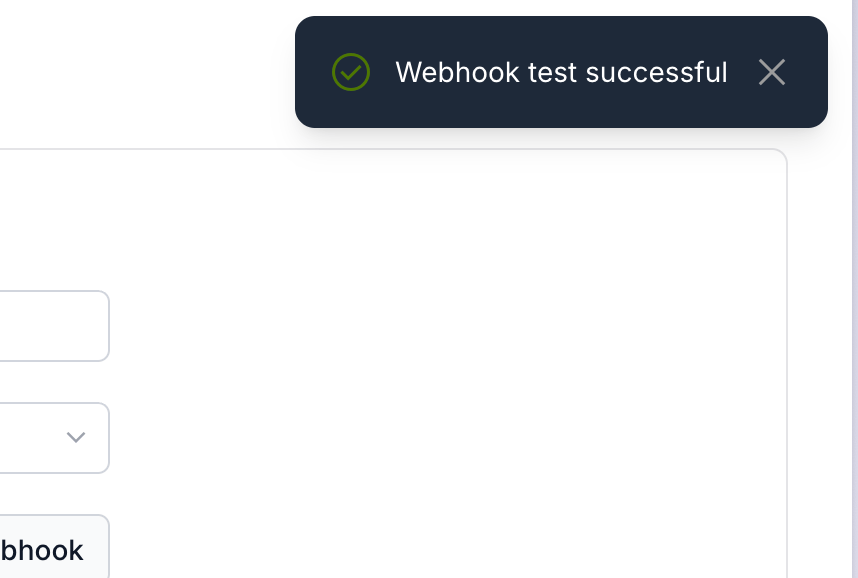
A successful request displays **Webhook test successful** in the upper-right corner.
Store the receiving endpoint’s credentials securely. Do not reuse your Amplify password or API access token.
Click **Test Webhook** before saving. Amplify sends a sample event payload to the destination URL.
```json theme={null}
{
"event_id": "evt_XXXXXXXXXXXXXXXXXXXXXXXXXX",
"event_type": "outbound_fax",
"occurred_at": "2026-08-22T08:23:28Z",
"data": {
"fax": {
"direction": "outbound",
"fax_uuid": "XXXXXXXXXXXXXXXX",
"transmission_duration": 59,
"transmission_start": "2023-11-10T00:00:34Z",
"transmission_end": "2023-11-10T00:01:33Z",
"pages": 1,
"fax_status": "Delivered",
"from_number": "19073331000",
"to_number": "19073331000",
"transferred_pages": 1,
"retry_attempt": 0
}
}
}
```
The test payload uses placeholder identifiers and phone numbers. `occurred_at`, `transmission_start`, and `transmission_end` use ISO 8601 UTC strings.
A successful request displays **Webhook test successful** in the upper-right corner.
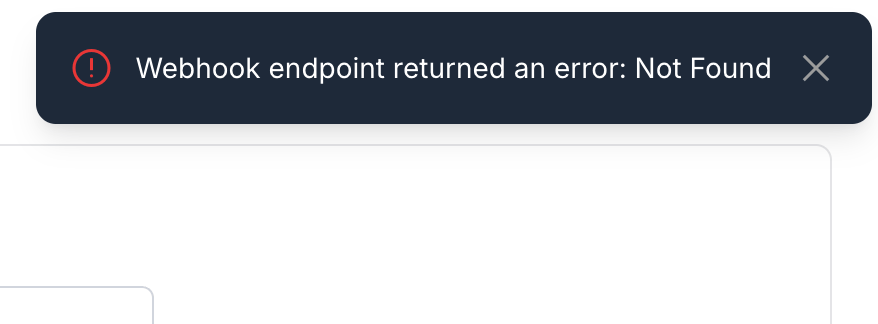
 If the destination returns an error, Amplify displays the result. For example, a `404` response displays **Webhook endpoint returned an error: Not Found**.
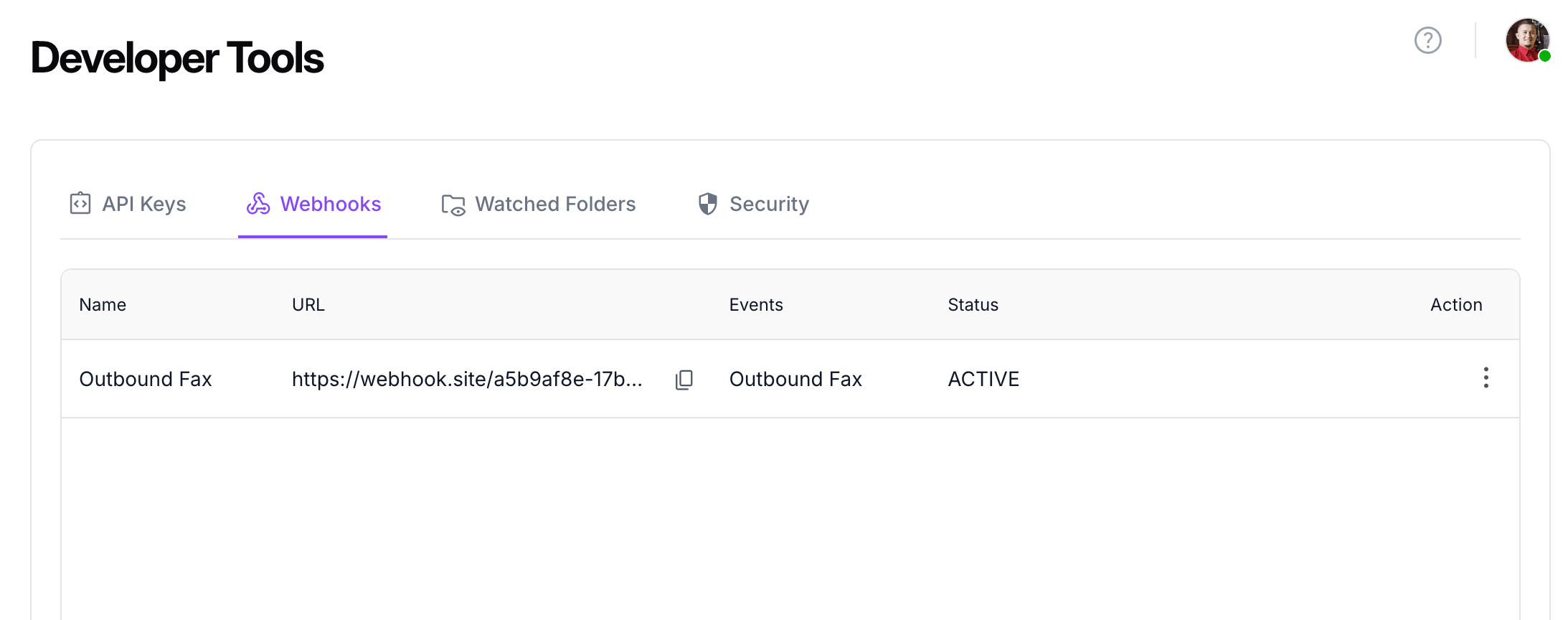
 Click **Save**. Amplify returns to the **Webhooks** tab and adds the webhook to the list.
 ## Review saved webhooks
The webhook list displays:
* **Name**
* **URL**, with a copy control
* **Events**
* **Status**
* **Action** menu
Test the destination again whenever its URL, authentication, network rules, or application behavior changes.
## Next steps
* Review the [webhook event payload](/webhooks/events).
* Learn how to [protect webhook endpoints](/webhooks/verifying-webhooks).
* Design your consumer for [retry behavior](/webhooks/retry-behavior).
## Review saved webhooks
The webhook list displays:
* **Name**
* **URL**, with a copy control
* **Events**
* **Status**
* **Action** menu
Test the destination again whenever its URL, authentication, network rules, or application behavior changes.
## Next steps
* Review the [webhook event payload](/webhooks/events).
* Learn how to [protect webhook endpoints](/webhooks/verifying-webhooks).
* Design your consumer for [retry behavior](/webhooks/retry-behavior).